
Coterra · Design System

Trail-tested.

The visual + verbal source of truth for Coterra. Direction A — heritage outdoor mood lifted by editorial typography polish. Use this page as the canonical reference; if a screen disagrees with what's here, fix the screen.

Palette

Color

Seven tokens. Terracotta on cream is the brand signature. Pure white is forbidden as a canvas; pure black is reserved for ink emphasis on print.

Terracotta rust

--coterra-primary · #A0492D

Primary mark. Major CTAs. Brand signature.

Warm cream

--coterra-background · #F5EDE0

Default canvas. Landing background.

Deep moss green

--coterra-secondary · #3F5340

Success states. UI alt surfaces.

Charcoal

--coterra-ink · #1F1A14

Body text. Editorial ink. Never pure black.

Muted ochre

--coterra-accent · #C99843

Highlights. Link underlines.

Oat

--coterra-canvas-alt · #EEE3D0

Layered surfaces. Card backgrounds.

Rust deep

--coterra-error · #7E2F18

Error states. Derived from primary.

Type

Typography

Three families from Adobe Fonts (kit sqp4bwn). DM Serif Display owns the wordmark and hero. DM Serif Text owns editorial body. Pacaembu owns everything else.

DM Serif Display · 400

Display + wordmark. High contrast, editorial. Used at h1 / hero only — never at body size.

Family travel, trail-tested.

What we figured out.

The summit is the family.

DM Serif Text · 400

Editorial body. Country playbooks, longer-form prose, compliance copy. Italic for emphasis.

For travel to Brazil from the United States, plan for yellow fever vaccination at least ten days before entry. Children under nine months are exempt. Carry the WHO Yellow Card with the rest of the family's documents — it's checked at the border, not at airline check-in.

The Yellow Card is paper. Bring two copies.

Pacaembu · 100–800

UI body, buttons, labels, navigation, form text. Reserve thin/extra light for display-scale moments only.

Thin 100Three airline apps. One family.
Extra Light 200Three airline apps. One family.
Light 300Three airline apps. One family.
Regular 400Three airline apps. One family.
Semibold 600Three airline apps. One family.
Bold 700Three airline apps. One family.
Extra Bold 800Three airline apps. One family.
Mark

Logo

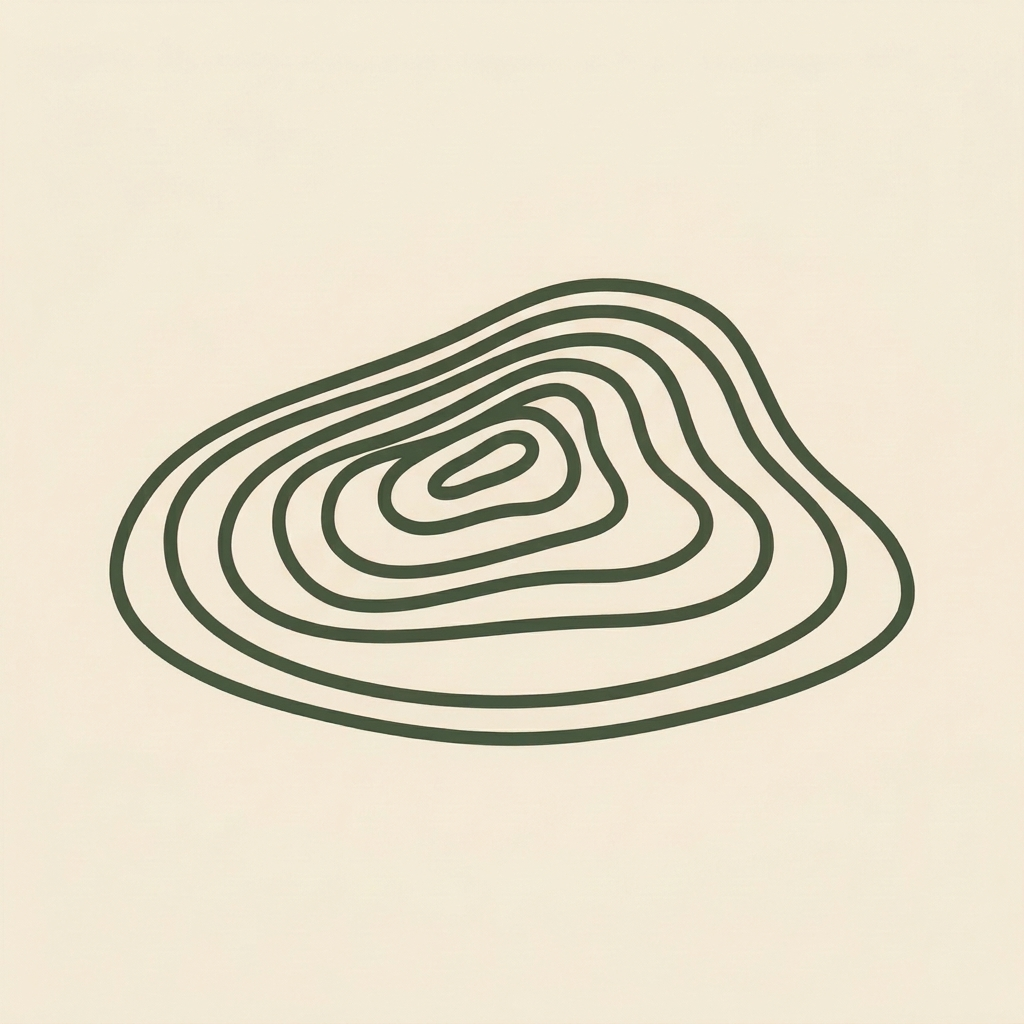
Topographic contour island — asymmetric hill at low angled perspective, smooth flowing curves. Reference renders below; production mark being redrawn as clean vector. Three application contexts: cream (primary), terracotta (inverted), moss (alt).

Coterra mark in terracotta on cream
Coterra mark in moss on cream
Coterra mark inverted on terracotta
Coterra mark on moss

Note: Reference renders are AI-generated concepts (Higgsfield nano_banana_pro). Production assets being redrawn in Figma.

Foundations

Microinteractions

Subtle motion that earns its place. Every animation here respects prefers-reduced-motion. Three brand-signature moments, four button feedbacks, four form behaviors, two stateful patterns. Nothing bouncy. Nothing playful. Calmly authoritative motion.

Brand signature

Signature

Mark contour ripple

On first load, the Coterra mark rings out — contour rings expand from center, like a pebble dropped in water.

Signature

Topographic scroll progress

A thin wavy contour at the top of viewport fills horizontally as you scroll the page. Look up — it's already there.

Scroll down to see it advance.
Signature

Cursor contour trail

Hover anywhere inside this card. A faint topographic ring trails your cursor, fading at ~700ms. In production: hero only.

↑ Hover here

Button feedback

Radial fill on hover

Hover follows the cursor

Move slowly across the primary button — the darker spot tracks your cursor position. Subtle, not flashy.

Tactile press

1px inset on click

Press-and-hold to feel the inset shadow + 1px translate. Restrained, just-perceptible.

Dot-sequence loading

Three pulsing dots

Click to enter the loading state. Three terracotta dots pulse left-to-right. No spinning circles.

Submit success morph

Button becomes the receipt

Click to submit. Button shows loading, transforms to moss-green checkmark, then returns. Replaces a toast.

Form behaviors

Floating labels

Label elevates on focus

Type or focus the field — the label slides above the input in micro-caps terracotta.

Fade-in inline validation

No jumpy alerts

Type an email. After ~600ms pause, a small validation message fades in (moss for valid, rust for invalid).

Looks right.
Smooth focus ring

200ms ease, never abrupt

Tab through these fields — the terracotta focus ring draws in instead of snapping.

Contextual help

Help text on focus only

Help copy stays hidden until the user focuses the field — keeps form scanning quiet.

Forward your airline confirmation here. We pull the details together and match it to your family in about 30 seconds.

Data + scroll

Slide-in notices

Right-edge entrance

Click to trigger a notice. Slides in from the right with a soft scale, dismisses itself after ~4s.

Subnav active underline

Ochre tracks your reading

Scroll the page — the ochre underline in the top subnav tracks which section is currently in view. Hover any subnav link to see the underline expand from center.

↑ Back to top
Components

Buttons

Primary CTAs in Pacaembu Semibold 600, all caps with 5% tracking. Sentence case for secondary and ghost. On-dark backgrounds, the secondary variant flips to a fill on hover.

On cream

Sizes

On dark — hover to invert

Secondary buttons on dark backgrounds use the .btn-on-dark modifier. Hover fills with cream and flips text to terracotta.

Works on moss too — hover still inverts cleanly.

Components

Badges

Small inline pills for status, category, or emphasis. Use sparingly — too many pills makes the page feel like a SaaS catalog.

Trail-tested Beta Live New Coming soon Expired

In context — flight status example:

American Airlines · Brazil to New York · departs Tuesday 09:40 On time

Components

Cards

Eight card variants. White has no border (sits on cream cleanly). All other variants get a border in a darker shade of their fill — never a generic grey.

White on cream

Customs lookup

Find out what you can bring back before you pack the carry-on. Five destinations at v1; founder-curated.

Cream

Your family's flights

Three separate bookings, one family-trip view. Codeshares matched. Lap-infant tickets linked.

Oat

Emergency card

Apple Wallet Pass + printable PDF. Per-trip, per family member.

Terracotta

Trail-tested.

Inverted moments. Reserve for founder-narrative + CTA cards.

Moss

Yellow fever cleared

Success / confirmation moments. Lives next to checkmark icons.

Ochre

Pack ten days ahead

Highlight / advisory blocks. Friendly attention-grab without alarm.

Charcoal

Editorial pull

For high-contrast section breaks or premium / compliance content.

Rust deep

Passport expires April 3

Hard error / blocking issue. Use only when action is required.

Outline

Tertiary content

Minimal weight. Sits well alongside denser cards without competing.

Interactive (hover lift)

Components

Forms

Inputs sit on white inside cream-canvas pages. Border is an oat-darker shade (never grey). Focus state lifts terracotta border with a soft ring.

Waitlist

We email you once when v1 ships. No marketing list.

Choices

Family members
Trip type
Days
/ trip

That email looks incomplete.
Components

Lists

Three list patterns. Topo for feature lists (custom contour bullets in terracotta). Checked for "what's included." Numbered with editorial serif numerals for step-by-step.

Topo bullets

First version

  • Customs lookup — five places to start
  • Your family's flights, in one place
  • Emergency card — Apple Wallet + printable
  • Documents on hand for each trip
Checked

Brazil trip ready

  • Passports valid 6+ months past return
  • Yellow fever 10+ days before entry
  • ETIAS not required (US passport)
  • Consent letter notarized
Numbered

How it works

  1. Forward your airline confirmation to your trip inbox.
  2. We pull out the flight details and match each family member.
  3. Emergency card and customs answers appear in one view.
Components

Tables

For structured data: customs items, family-member status, country playbooks. Quiet header in Pacaembu Semibold micro caps; body in Pacaembu Regular. Optional striped tbody.

Item Brazil → US Source
Cachaça (1L sealed) Allowed CBP duty-free under 1L Details
Cheese (hard, vacuum-sealed) Allowed APHIS · pasteurized OK Details
Açaí fruit (fresh) Prohibited APHIS · live plant material Details
Baby formula (powder) Allowed CBP · infant carve-out Details

Striped variant

Family memberPassport expiryStatus
Maria2031-08-12Valid
José2029-04-03Renew soon
Diego (14mo)2030-11-21Valid
Components

Stats

Big editorial numerals (DM Serif Display) with a Pacaembu micro-caps label. Use for landing-page social proof or country playbook headers — never as decoration.

3 Separate bookings per family · average Three different airline apps for one family's flights is the universal pain.
5 Destination playbooks at v1 Canada, Mexico, EU (ETIAS), Brazil, Japan — founder-curated, source-cited.
10d Yellow fever lead time · Brazil Vaccinate at least ten days before entry. Children under 9 months exempt.
Components

Quote

Pull-quote pattern. DM Serif Display at ~28px with an ochre opening glyph. Attribution in Pacaembu micro-caps below.

We figured out the customs surprise at the security line, the three-airline-apps mess, and the packing math for each kid's age. Your next trip starts where ours ended. — Sean · founder
Components

Notices

Left-border accent. Ochre for default advisory, moss for success, rust-deep for error. Voice stays plainspoken — no "Oops!", no "Whoops!".

Yellow fever for Brazil.

Plan ten days ahead. Children under nine months are exempt.

All set.

Your family is ready for the Tuesday departure.

Maria's passport expires inside the trip window.

Most countries require six months of validity past your return date. Plan to renew before April.

Components

FAQs

Customer-facing accordion. Built on native HTML <details> / <summary> for keyboard navigation + screen-reader accessibility. Questions in DM Serif Display; answers in DM Serif Text. Chevron rotates 180° on open. Source content lives in the planning repo at kb/faqs.md (external KB) — every shipped feature triggers a sweep of that file, and this UI re-renders from it.

What is Coterra?
Coterra is a family travel companion for parents who used to travel internationally without thinking — and now navigate every trip with kids. We're fixing three things: the three-different-airline-apps mess for one family's flights, the customs container surprise you find out about at the security line, and the packing list that doesn't know your kid's age.
Who is Coterra for?
Parents who travel internationally with kids. Specifically: families who used to travel widely before kids, and now feel the friction of every "with a toddler" detail. Plus families where custody is shared, families where members hold different countries' passports, and any trip that needs kids' vaccinations beyond what's required for the US.
What countries does customs lookup support at launch?
Five places to start: Canada, Mexico, the EU, Brazil, and Japan. These cover about 80% of where US families travel internationally. We add more when paying customers ask — never in advance of demand.
Where is my family's data stored?
Documents you scan — passport photo pages, vaccination cards, consent letters — are encrypted on your phone or laptop using a passphrase you pick. We never see the contents. Trip info, like who's on which flight, lives in our encrypted database hosted in the US.
Does Coterra train AI on my data?
No. Coterra doesn't use AI to generate answers. The customs lookup is a list of items and rules we maintain by hand — every answer cites the actual source it came from, so you can verify it yourself.
How much does Coterra cost?
We're deciding pricing after the first round of customer interviews — likely $5–9/month for the family bundle when the first version is ready. The current waitlist is free, and we won't ask for a credit card to join.
Why "Trail-tested"?
Because we've been there. The product is built around real pain points from the founder's June 2026 Canada trip with his wife and 14-month-old son — not from market research decks. "Trail-tested" means: we figured out the friction so your next trip starts where ours ended.

Source file

Entries above are pulled from the canonical source at kb/faqs.md (external KB) in the planning repo. Each entry there has a status field (live / building / deferred) — for entries marked building, the rendered answer reads as present-tense intention. When a feature ships, the status flips and the answer text is updated in the same PR.

### What is Coterra?
> `status: building`

Coterra is a family travel companion for parents who
used to travel internationally without thinking — and
now navigate every trip with kids...

When to use

Reach for it
  • Landing-page help section (5–12 questions)
  • Onboarding "common questions" surface
  • Pricing-page objection handling
  • Compliance / privacy explainer pages
Skip it for
  • Long-form help articles — use a dedicated docs page
  • Interactive flows (use a wizard / stepper)
  • Status pages — use real-time status indicators instead
  • Documentation more than ~12 entries — use a search-first KB

Behavior + accessibility

Native semantics

<details> not custom JS

Keyboard tab order, Enter to expand, screen-reader "collapsed/expanded" state — all free from the native element. We only style; we don't reimplement.

Chevron rotation

CSS transform on [open]

summary::after renders a chevron in terracotta. .faq-item[open] summary::after rotates -180° with a 260ms ease. No JS.

Open behavior

Multi-open by default

Each <details> opens independently. To enforce "one open at a time," wrap in a parent and set name attribute (HTML 2024+) — but the default multi-open is correct for help/FAQ contexts.

Reduce motion

Honored, not overridden

Under prefers-reduced-motion: reduce, both the chevron rotation and the answer-expand keyframe are disabled. The element still opens — the affordance is functional, only the motion is removed.

Components

Empty state

For lists that haven't been populated yet (no trips, no family members, no documents). Cream-on-cream dashed border, calm tone — never apologetic.

No trips yet

Forward an airline confirmation to your trip inbox and Coterra will pull together everything your family needs for the trip.

Foundations

Spacing scale

8px-based scale. Use tokens; never hard-code pixel values. --space-4 is the canonical rhythm (1rem · 16px).

--space-1
4px · 0.25rem
--space-2
8px · 0.5rem
--space-3
12px · 0.75rem
--space-4
16px · 1rem · canonical
--space-6
24px · 1.5rem
--space-8
32px · 2rem
--space-12
48px · 3rem
--space-16
64px · 4rem · section padding
--space-24
96px · 6rem · hero padding
Foundations

Icons

Single-weight line icons, 2px stroke, rounded caps + joins. Matches the topographic mark's line quality. Inherit text color via stroke="currentColor". Use a library like Lucide; never mix line and filled icon styles.

Recommended: Lucide. Available in React (lucide-react) — same 2px stroke matches the system.

Foundations

Inline code & keys

Sparingly. For env vars, hex codes, file paths, keystroke instructions. Never for marketing copy.

Add the Typekit kit to app/layout.tsx. The kit ID is sqp4bwn. The primary brand color is #A0492D.

Press + K to open the trip search at any time.

Voice

How Coterra talks

Plainspoken. Gear-shaped. Slightly understated. Editorial polish, never folksy. Full voice guide lives at branding/voice-guide.md in the planning repo.

Do

  • "Three different airline apps for one family's flights — we're fixing that."
  • "Yellow fever for Brazil? Here's the lead time."
  • "We've been there. Here's what we learned."
  • "Family travel, trail-tested."
  • "Bring two copies. The Yellow Card is paper."

Don't

  • "AI-powered family travel revolution!"
  • "Don't forget yellow fever!"
  • "Supercharge your family trips."
  • "Mom-approved" / "Dad-tested"
  • "Oops!" "Whoops!" "Sorry!"
  • "Revolutionary" / "10x" / "Powered by AI"